
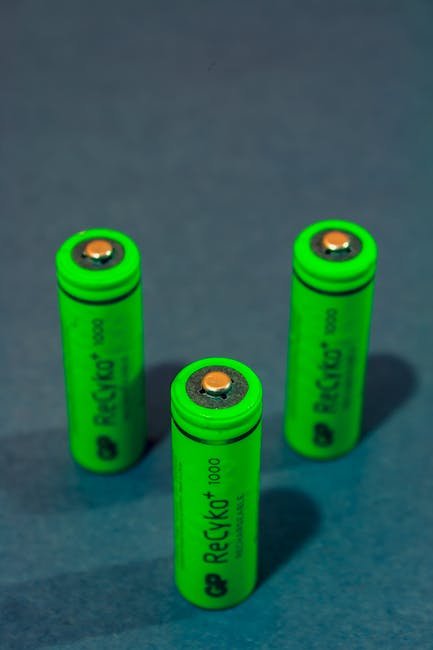
Extending Battery Life on Eco-Friendly Devices: A Complete Tutorial
Understanding Battery Chemistry and Its Impact
The foundation of any successful battery life extension strategy lies in understanding the type of battery powering your eco-friendly device. While various chemistries exist, Lithium-ion (Li-ion) and Lithium Polymer (LiPo) are the most prevalent in smartphones, laptops, tablets, and electric vehicles. These batteries offer high energy density and relatively low self-discharge rates. However, they are susceptible to degradation over time, primarily through charge cycles and exposure to extreme temperatures.
- Lithium-ion (Li-ion): Characterized by high energy density, relatively long lifespan, and no memory effect (meaning you don’t need to fully discharge them before recharging). They are commonly found in laptops, smartphones, and power tools.
- Lithium Polymer (LiPo): A variation of Li-ion batteries, utilizing a polymer electrolyte instead of a liquid one. This allows for greater flexibility in shaping the battery and enhances safety. LiPo batteries are often used in drones, wearables, and high-performance devices where size and weight are critical.
Understanding the voltage and amperage specifications of your device and its charger is paramount. Using an incompatible charger can lead to overcharging, overheating, and ultimately, premature battery degradation. Always use the charger specifically designed for your device or a reputable third-party charger that adheres to the manufacturer’s specifications.
Software Optimization: The Power-Saving Playbook
Software optimization is crucial for maximizing battery life. Most devices have built-in power-saving modes that throttle performance, reduce screen brightness, and limit background activity.
- Power Saving Mode: Familiarize yourself with the power saving mode on your device. This mode often disables non-essential features like location services, background app refresh, and animations. You can typically customize the level of power saving to balance performance with battery longevity.
- App Management: Identify battery-intensive apps. Smartphones and tablets usually have built-in battery usage monitors that show which apps consume the most power. Consider limiting the usage of these apps, force-closing them when not in use, or seeking out more energy-efficient alternatives. Uninstalling apps that you rarely use can also significantly improve battery life.
- Background App Refresh: Disable background app refresh for apps that don’t require constant updates. Many apps continue to run in the background, checking for new data and consuming battery even when you’re not actively using them.
- Notifications: Reduce the frequency of notifications. Each notification wakes up the device and consumes power. Disable notifications for apps that don’t require immediate attention.
- Software Updates: Keep your device’s operating system and apps updated. Software updates often include bug fixes and performance improvements that can enhance battery efficiency.
- Widget Management: Limit the number of widgets on your home screen. Widgets constantly update with new information, which can drain battery life.
Display Optimization: Dimming the Drain
The display is often one of the biggest battery consumers. Optimizing display settings can significantly extend battery life.
- Screen Brightness: Reduce screen brightness to the lowest comfortable level. Enabling auto-brightness can help adjust brightness based on ambient lighting conditions, but it can also consume more power than a manually set brightness level. Experiment with both to determine which is more efficient for your usage patterns.
- Screen Timeout: Shorten the screen timeout duration. The screen timeout setting determines how long the screen stays on after you stop using the device. Setting a shorter timeout can prevent the screen from remaining on unnecessarily, saving battery life.
- Dark Mode: Enable dark mode or a dark theme. Dark mode reduces the amount of light emitted by the screen, which can significantly reduce battery consumption, especially on devices with OLED displays.
- Adaptive Brightness (OLED): If your device has an OLED display and supports adaptive brightness, enable it. This feature adjusts brightness based on the content being displayed, further optimizing battery consumption.
- Wallpaper Choice: Opt for darker wallpapers. Similar to dark mode, darker wallpapers require less power to display, especially on OLED screens.
- Disable Always-On Display (AOD): If your device has an always-on display, consider disabling it or customizing it to show minimal information. While convenient, AOD constantly consumes power to keep a portion of the screen illuminated.
Connectivity Management: Cutting the Cord (Wirelessly)
Wireless connectivity features like Wi-Fi, Bluetooth, and cellular data can significantly drain battery life. Manage these connections effectively to conserve power.
- Wi-Fi: Turn off Wi-Fi when not in use, especially when traveling. Constantly searching for Wi-Fi networks consumes battery.
- Bluetooth: Disable Bluetooth when not actively using Bluetooth devices. Bluetooth consumes power even when no devices are connected.
- Cellular Data: Minimize cellular data usage when possible. Wi-Fi is generally more energy-efficient than cellular data. Disable cellular data when in areas with poor signal strength, as the device will constantly search for a stronger signal, consuming more power.
- Airplane Mode: Use airplane mode in areas with no cellular coverage or when you don’t need to be connected to the network. Airplane mode disables all wireless communication, significantly extending battery life.
- Location Services: Limit the use of location services. Many apps request access to your location, even when they don’t need it. Disable location services for apps that don’t require them or set location permissions to “Only while using the app.”
- NFC: Disable NFC (Near Field Communication) when not in use. NFC is used for contactless payments and data transfer, but it consumes power even when not actively being used.
Temperature Considerations: Avoiding Extremes
Extreme temperatures can significantly impact battery performance and longevity.
- Avoid Extreme Heat: Don’t leave your device in direct sunlight or in a hot car. High temperatures can accelerate battery degradation.
- Avoid Extreme Cold: Similarly, avoid exposing your device to extremely cold temperatures. Cold temperatures can reduce battery capacity and performance.
- Optimal Operating Temperature: The ideal operating temperature for most Li-ion batteries is between 16°C and 22°C (61°F and 72°F).
- Charging Temperature: Avoid charging your device when it’s hot or cold. Let the device cool down or warm up to room temperature before charging.
- Storage Temperature: If you’re storing your device for an extended period, store it in a cool, dry place with a partially charged battery (around 50%). Avoid storing it fully charged or fully discharged.
Charging Habits: The Art of Partial Charges
Traditional advice often suggested fully discharging batteries before recharging. However, with Li-ion batteries, this is no longer necessary and can actually be detrimental.
- Partial Charging: Li-ion batteries perform best with partial charging. Avoid fully discharging the battery before recharging.
- Top-Up Charges: Frequent top-up charges are better than infrequent full charges. This helps to keep the battery within its optimal charge range.
- Avoid Overnight Charging: While modern devices have built-in protection against overcharging, prolonged overnight charging can still contribute to battery degradation over time.
- Charge Wisely: Ideally, keep your battery charge level between 20% and 80%. This range minimizes stress on the battery and extends its lifespan.
- Fast Charging: While convenient, frequent use of fast charging can generate more heat, potentially accelerating battery degradation over time. Use fast charging sparingly when you need a quick boost.
- Wireless Charging: Wireless charging can generate more heat than wired charging, potentially impacting battery health over the long term. Use wired charging when possible.
Hardware Considerations: Evaluating Replacements and Alternatives
Sometimes, software tweaks and usage adjustments aren’t enough. Consider these hardware-related strategies:
- Battery Replacement: If your battery is significantly degraded, consider replacing it. Battery replacement services are often available for smartphones, laptops, and other devices.
- External Battery Packs: Use an external battery pack or power bank to extend battery life on the go. Choose a power bank with a capacity that matches your device’s needs.
- Eco-Friendly Battery Options: Explore alternative battery technologies or eco-friendly battery options, if available. Some manufacturers are developing batteries with longer lifespans and more sustainable materials.
- Hardware Upgrades: Consider upgrading to a newer device with a more efficient battery and power management system. Newer devices often incorporate advancements in battery technology and software optimization that can significantly improve battery life.
- Solar Chargers: For outdoor activities, consider using a solar charger to replenish your device’s battery. Solar chargers are a renewable energy source and can be a convenient way to extend battery life when access to traditional power sources is limited.
- USB Power Meters: Use a USB power meter to monitor the charging current and voltage of your device. This can help you identify potential charging issues and ensure that your device is charging efficiently.
By implementing these strategies, you can significantly extend the battery life of your eco-friendly devices, reducing the need for frequent charging and minimizing your environmental impact. Remember that battery life is a finite resource, and taking proactive steps to conserve power will not only benefit your device but also contribute to a more sustainable lifestyle.
Leave a Reply