
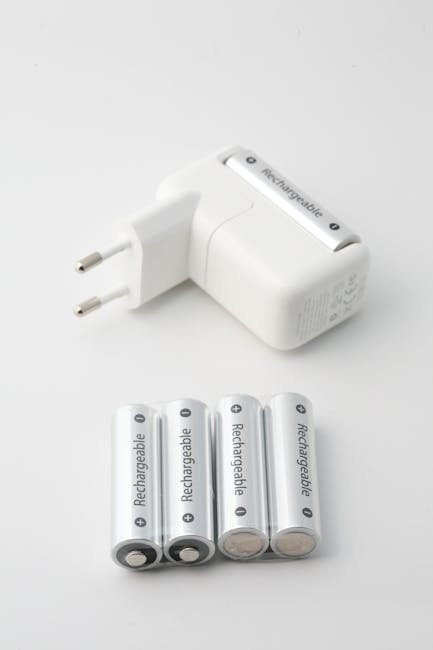
Extending the Life of Your Electronic Devices: A Comprehensive Guide
Electronic devices are integral to modern life, from smartphones and laptops to tablets and smartwatches. They facilitate communication, productivity, entertainment, and so much more. However, these devices, regardless of price or brand, are susceptible to wear and tear and have a finite lifespan. Replacing them frequently can be costly and contribute to electronic waste. Fortunately, implementing proactive strategies can significantly extend the lifespan of your electronic devices, saving you money and reducing your environmental impact.
1. Power Management and Battery Health:
Perhaps the most crucial aspect of extending the life of portable devices revolves around managing power and optimizing battery health. Batteries, especially lithium-ion batteries commonly used in modern electronics, degrade over time through charge cycles and environmental factors.
-
Avoid Extreme Temperatures: Extreme heat and cold are detrimental to battery health. High temperatures accelerate chemical reactions within the battery, leading to faster degradation. Similarly, cold temperatures reduce battery performance and can cause damage. Avoid leaving devices in direct sunlight, hot cars, or excessively cold environments. Ideal operating temperatures are typically between 62°F and 72°F (16°C and 22°C).
-
Partial Charging is Preferable: Contrary to older battery technologies, lithium-ion batteries benefit from partial charging rather than complete discharge cycles. Aim to keep your battery level between 20% and 80% whenever possible. Avoid consistently draining the battery to 0% as this can cause significant stress and shorten its lifespan.
-
Optimize Charging Habits: Use the charger that came with your device or a high-quality, certified replacement. Generic or low-quality chargers can deliver inconsistent voltage and current, potentially damaging the battery and other components. Avoid overnight charging, especially if your device already has a full battery, as this can cause “trickle charging” and generate unnecessary heat. Utilize smart plugs with timers to automatically cut off power after a set period.
-
Reduce Battery Consumption: Dim your screen brightness, turn off Bluetooth and Wi-Fi when not in use, and close unused apps running in the background. Enable power-saving modes offered by your device’s operating system. These modes typically reduce processor speed, limit background processes, and optimize display settings to conserve battery life.
-
Store Batteries Properly: If you plan to store a device for an extended period, charge the battery to approximately 50% before storage. Store it in a cool, dry place away from direct sunlight and extreme temperatures. This helps prevent the battery from degrading during storage.
-
Software Updates: Keep your device’s operating system and apps up to date. Software updates often include battery optimization improvements that can enhance battery life and overall device performance.
2. Physical Protection and Handling:
Protecting your device from physical damage is essential for extending its lifespan. Even minor drops and scratches can accumulate over time and lead to more significant issues.
-
Use Protective Cases and Screen Protectors: Invest in a high-quality protective case that offers adequate shock absorption and impact resistance. Consider cases with raised edges to protect the screen and camera lenses from scratches when placed on flat surfaces. Apply a screen protector, such as tempered glass or a film protector, to guard against scratches and cracks.
-
Handle with Care: Avoid dropping your device. Be mindful of your surroundings and ensure a secure grip. When placing your device on surfaces, choose stable and clean areas to prevent accidental falls or scratches.
-
Keep Away From Liquids: Liquids are a major threat to electronic devices. Avoid using devices near water sources, such as sinks, pools, or bathtubs. If your device does get wet, immediately turn it off, remove the battery (if possible), and dry it thoroughly with a clean cloth. Consider using desiccant packets or placing the device in a bag of uncooked rice to absorb moisture.
-
Clean Regularly: Dust and debris can accumulate in ports, speakers, and other openings, affecting performance and potentially causing damage. Clean your device regularly with a soft, lint-free cloth. Use compressed air to remove dust from hard-to-reach areas. Avoid using harsh chemicals or abrasive cleaners, as they can damage the device’s finish.
-
Secure Cables and Connectors: Avoid yanking or pulling cables from ports. This can damage the connectors and ports, leading to connectivity issues. When disconnecting cables, grasp the connector itself rather than the cable.
-
Proper Storage: When not in use, store your device in a safe place away from potential hazards, such as sharp objects, heavy objects, and extreme temperatures.
3. Software Management and Maintenance:
Software issues can significantly impact device performance and stability. Regular software maintenance can help prevent problems and extend the lifespan of your device.
-
Regular Software Updates: Install software updates promptly. These updates often include bug fixes, security patches, and performance improvements. Outdated software can make your device vulnerable to security threats and slow down performance.
-
Uninstall Unused Apps: Delete apps that you no longer use. These apps can consume storage space, drain battery life, and potentially compromise security.
-
Manage Background Processes: Many apps run processes in the background, even when you are not actively using them. These processes can consume resources and slow down your device. Disable background app refresh or restrict background data usage for apps that you don’t need running constantly.
-
Regularly Clear Cache and Data: Over time, apps can accumulate cached data and temporary files, which can take up storage space and slow down performance. Regularly clear the cache and data for apps that use a lot of storage.
-
Avoid Overloading Storage: Keep your device’s storage space relatively free. When storage is full, it can significantly slow down performance and prevent you from installing new apps or updating existing ones. Regularly delete unnecessary files, such as photos, videos, and documents.
-
Beware of Malware and Viruses: Install a reputable antivirus app and scan your device regularly for malware and viruses. Malware can compromise security, steal data, and damage your device. Be cautious when downloading apps or clicking on links from unknown sources.
-
Factory Reset When Necessary: If your device is experiencing significant performance issues that cannot be resolved through other methods, consider performing a factory reset. This will erase all data and settings and restore the device to its original factory state. Back up your data before performing a factory reset.
4. Addressing Specific Device Types:
While the above principles apply broadly, some devices require specific attention.
-
Laptops: Keep the vents clear of dust and debris to prevent overheating. Use a laptop stand to improve airflow. Regularly defragment the hard drive (for traditional HDDs, not SSDs). Avoid eating or drinking near your laptop to prevent spills.
-
Desktops: Ensure proper ventilation and cooling. Clean the inside of the computer case regularly to remove dust. Use a surge protector to protect against power surges.
-
Smartphones: Avoid exposing your smartphone to extreme temperatures or humidity. Be mindful of the pressure you apply to the screen, especially when using touch gestures. Protect the charging port from dust and debris.
-
Tablets: Use a screen protector and a sturdy case. Avoid dropping or bending the tablet. Be careful when inserting and removing the charging cable.
-
Smartwatches: Clean the watch band regularly to prevent skin irritation. Avoid exposing the smartwatch to excessive water or sweat. Protect the screen from scratches and impacts.
5. Repair and Maintenance:
When issues arise, timely repair and maintenance can prevent minor problems from escalating into major ones.
-
Seek Professional Repair: If you encounter a hardware or software issue that you cannot resolve yourself, seek professional repair from a qualified technician. Attempting to repair the device yourself without the necessary skills and tools can cause further damage.
-
Use Authorized Service Centers: When possible, use authorized service centers for repairs. These centers typically use genuine parts and have trained technicians who are familiar with your device.
-
Regular Check-ups: Consider taking your device in for regular check-ups to identify and address potential problems before they become major issues.
By implementing these strategies, you can significantly extend the lifespan of your electronic devices, saving money, reducing e-waste, and ensuring your devices remain reliable and functional for years to come. Remember that preventative maintenance and responsible usage are key to maximizing the value and longevity of your electronic investments.
Leave a Reply