
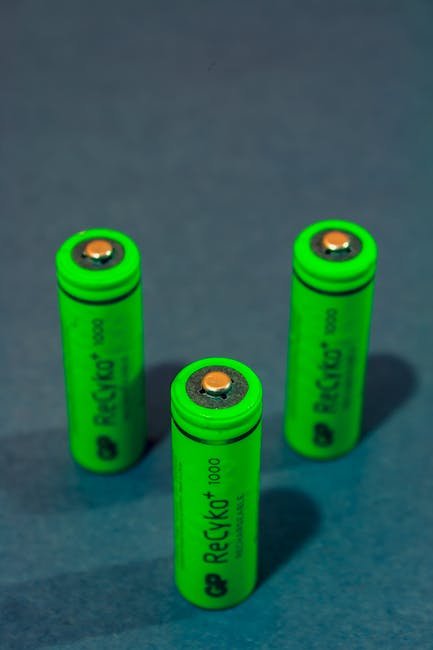
Integrating Green Gadgets into Your Home Office: A Step-by-Step Guide
Step 1: Assess Your Current Energy Consumption and Identify Areas for Improvement
Before diving into a shopping spree for eco-friendly gadgets, take a comprehensive look at your current home office setup. This assessment will pinpoint the biggest energy guzzlers and allow you to prioritize your investments for maximum impact.
1.1 Conduct an Energy Audit:
Start with a self-audit. Observe your daily routines and equipment usage. Note how long you typically spend in your office, which devices are constantly plugged in, and how often you use lighting.
- Lighting: How many light fixtures do you have? Are they LED, CFL, or incandescent? How many hours are they on each day?
- Computer & Peripherals: What type of computer do you use (desktop, laptop)? How long is it on each day? Consider the energy consumption of your monitor(s), printer, scanner, external hard drives, and other peripherals.
- HVAC: How often do you use your home’s central heating or cooling system for your office space? Do you use a space heater or portable AC unit?
- Miscellaneous Electronics: Note the energy usage of smaller devices like phone chargers, speakers, and desk fans.
1.2 Use Energy Monitoring Tools:
Consider using energy monitoring devices to get precise data.
- Smart Plugs: These plugs measure the energy consumption of individual devices plugged into them. They provide real-time data and historical reports, allowing you to identify energy-hogging appliances. Look for smart plugs that integrate with your smart home ecosystem for seamless monitoring and control. Brands like Kasa, TP-Link, and Eve offer reliable options.
- Energy Monitoring Systems: Some systems monitor your entire home’s energy consumption, offering a broader picture of your energy usage. While more expensive, they can reveal hidden inefficiencies and provide valuable insights for optimizing energy consumption beyond your office.
- Energy Meter Apps: Explore smartphone apps that use your phone’s camera and sensors to estimate energy consumption based on device usage and ambient light levels. While less accurate than dedicated monitoring tools, they can offer a quick and easy way to gauge relative energy usage.
1.3 Analyze Your Utility Bills:
Review your past utility bills to track your energy consumption over time. Look for patterns and identify months with higher energy usage. This analysis can help you correlate your energy consumption with specific activities or seasons. Compare your usage to previous years to assess the impact of any energy-saving measures you’ve already implemented.
1.4 Identify Inefficiencies:
Based on your audit and monitoring, identify the areas where you can improve energy efficiency. Common culprits include:
- Phantom Load (Vampire Power): Devices that draw power even when turned off.
- Inefficient Lighting: Outdated incandescent or halogen bulbs.
- Old Appliances: Older computers, monitors, and printers that consume more power than newer models.
- Poor Insulation: Drafty windows and doors that lead to heat loss in the winter and heat gain in the summer.
- Overuse of HVAC: Leaving the heating or cooling system running when the office is unoccupied.
Step 2: Replace Inefficient Lighting with LED Bulbs and Smart Lighting Systems
Lighting is a significant contributor to energy consumption in most home offices. Switching to energy-efficient lighting solutions can significantly reduce your energy bill and carbon footprint.
2.1 Switch to LED Bulbs:
LED (Light Emitting Diode) bulbs are significantly more energy-efficient than traditional incandescent or halogen bulbs. They consume up to 75% less energy and last much longer (up to 25 times longer).
- Choose the Right LED Bulb: Look for LED bulbs with the appropriate brightness (measured in lumens) and color temperature (measured in Kelvin) for your office space. Cool white light (4000-5000K) is generally recommended for task lighting, while warm white light (2700-3000K) is suitable for ambient lighting.
- Check the Energy Star Rating: Energy Star-certified LED bulbs meet strict energy efficiency and performance standards.
- Consider Smart Bulbs: Smart bulbs offer additional features like dimming, color changing, and remote control via a smartphone app. They can be programmed to turn on and off automatically based on a schedule or motion detection, further reducing energy waste.
2.2 Implement Smart Lighting Systems:
Smart lighting systems offer advanced control and automation features that can further optimize your lighting energy consumption.
- Smart Light Switches: Smart light switches allow you to control your lights remotely via a smartphone app or voice commands. They can be programmed to turn on and off automatically based on a schedule or sunset/sunrise times.
- Motion Sensors: Motion sensors automatically turn on the lights when someone enters the office and turn them off when the office is unoccupied. This is particularly useful for infrequently used spaces or if you frequently forget to turn off the lights.
- Daylight Harvesting: Integrate daylight harvesting strategies by placing your desk near a window and using smart dimmers to automatically adjust the brightness of your lights based on the amount of natural light available.
2.3 Natural Light Maximization:
Leveraging natural light is the most energy-efficient lighting solution.
- Position Your Desk Strategically: Place your desk near a window to maximize natural light exposure.
- Use Light-Colored Walls and Furniture: Light colors reflect light, making your office brighter and reducing the need for artificial lighting.
- Clean Your Windows Regularly: Clean windows allow more natural light to enter your office.
- Consider Light Shelves: Light shelves are horizontal surfaces placed above windows to reflect sunlight deeper into the room.
Step 3: Upgrade Your Computer and Peripherals to Energy-Efficient Models
Computers and peripherals consume a significant amount of energy, especially older models. Upgrading to energy-efficient devices can significantly reduce your energy footprint.
3.1 Choose Energy-Efficient Computers:
- Laptops vs. Desktops: Laptops generally consume less energy than desktops because they are designed to be more portable and battery-powered. Consider a laptop if you don’t require the processing power of a desktop.
- Energy Star Certification: Look for computers and monitors that are Energy Star certified. These devices meet strict energy efficiency standards.
- Solid State Drives (SSDs): SSDs consume less power than traditional Hard Disk Drives (HDDs). Upgrading to an SSD can improve your computer’s performance and reduce its energy consumption.
- Power Management Settings: Configure your computer’s power management settings to automatically put it into sleep mode when it’s not in use. Adjust the screen brightness and turn off unnecessary features like Bluetooth and Wi-Fi when not needed.
3.2 Invest in Energy-Efficient Monitors:
- LED Backlighting: Choose monitors with LED backlighting, which is more energy-efficient than traditional LCD backlighting.
- Size Matters: Larger monitors consume more energy than smaller monitors. Choose a monitor size that is appropriate for your needs.
- Auto-Brightness Adjustment: Consider monitors with auto-brightness adjustment, which automatically adjusts the screen brightness based on ambient light levels.
- Turn Off Unused Monitors: If you use multiple monitors, turn off the ones you’re not actively using.
3.3 Select Energy-Efficient Printers and Scanners:
- Inkjet vs. Laser Printers: Inkjet printers generally consume less energy than laser printers, especially for low-volume printing.
- Eco-Mode: Enable the eco-mode on your printer to reduce energy consumption during printing.
- Duplex Printing: Enable duplex printing (printing on both sides of the paper) to reduce paper consumption.
- Turn Off Unused Printers and Scanners: Turn off your printer and scanner when you’re not using them.
3.4 Unplug Phantom Load Devices:
Many electronic devices continue to draw power even when they are turned off. This is known as phantom load or vampire power.
- Identify Phantom Load Devices: Use a smart plug to identify devices that draw power even when turned off.
- Unplug Unused Devices: Unplug devices when you’re not using them, especially chargers, adapters, and appliances.
- Use Power Strips with Switches: Use power strips with switches to easily turn off multiple devices at once.
- Consider Advanced Power Strips: Advanced power strips can detect when a master device (e.g., your computer) is turned off and automatically turn off the power to connected peripherals (e.g., your monitor, printer, and speakers).
Step 4: Optimize Your HVAC System and Improve Insulation
Heating and cooling can account for a significant portion of your home office’s energy consumption. Optimizing your HVAC system and improving insulation can significantly reduce your energy bill and improve your comfort.
4.1 Smart Thermostats:
- Programmable Thermostats: Program your thermostat to automatically adjust the temperature based on your schedule. Reduce the heating or cooling when you’re not in the office.
- Smart Thermostats: Smart thermostats learn your heating and cooling preferences and automatically adjust the temperature to optimize energy efficiency and comfort. They can be controlled remotely via a smartphone app and can be integrated with other smart home devices.
4.2 Improve Insulation:
- Seal Drafts: Seal any cracks or gaps around windows, doors, and walls to prevent air leaks. Use weather stripping, caulk, or expanding foam.
- Insulate Walls and Ceilings: Ensure that your walls and ceilings are properly insulated to prevent heat loss in the winter and heat gain in the summer.
- Insulate Windows: Consider upgrading to energy-efficient windows with low-E coatings to reduce heat transfer. Alternatively, use window films to improve insulation.
4.3 Optimize HVAC Usage:
- Set Reasonable Temperatures: Set your thermostat to a reasonable temperature. Avoid setting the temperature too low in the summer or too high in the winter.
- Use Fans: Use fans to circulate air and reduce the need for air conditioning. Ceiling fans are particularly effective.
- Close Vents in Unused Rooms: Close vents in unused rooms to prevent heating or cooling those spaces.
- Regular Maintenance: Schedule regular maintenance for your HVAC system to ensure that it’s running efficiently.
Step 5: Embrace Sustainable Practices and Minimize Waste
Beyond gadgets, adopting sustainable practices in your home office can contribute to a greener lifestyle and reduce your environmental impact.
5.1 Reduce Paper Consumption:
- Go Digital: Use digital documents whenever possible. Scan paper documents and store them electronically.
- Print on Both Sides: Enable duplex printing (printing on both sides of the paper).
- Use Recycled Paper: Use recycled paper for printing.
- Proofread Before Printing: Proofread your documents carefully before printing to avoid wasting paper.
5.2 Recycle and Compost:
- Set Up Recycling Bins: Set up recycling bins in your office for paper, plastic, and glass.
- Compost Food Scraps: Compost food scraps and yard waste.
- Properly Dispose of Electronics: Properly dispose of old electronics at designated recycling centers.
5.3 Choose Sustainable Office Supplies:
- Recycled Materials: Choose office supplies made from recycled materials, such as paper, pens, and folders.
- Refillable Pens and Markers: Use refillable pens and markers to reduce plastic waste.
- Biodegradable Packaging: Choose products with biodegradable packaging.
5.4 Reduce Food Waste:
- Plan Your Meals: Plan your meals ahead of time to avoid buying more food than you need.
- Store Food Properly: Store food properly to prevent it from spoiling.
- Use Leftovers: Use leftovers in new recipes.
- Compost Food Scraps: Compost any unavoidable food scraps.
5.5 Prioritize Ergonomics:
While not directly energy-saving, an ergonomic workspace reduces strain and promotes well-being, leading to fewer breaks and increased efficiency. Consider an adjustable desk and chair.
Leave a Reply